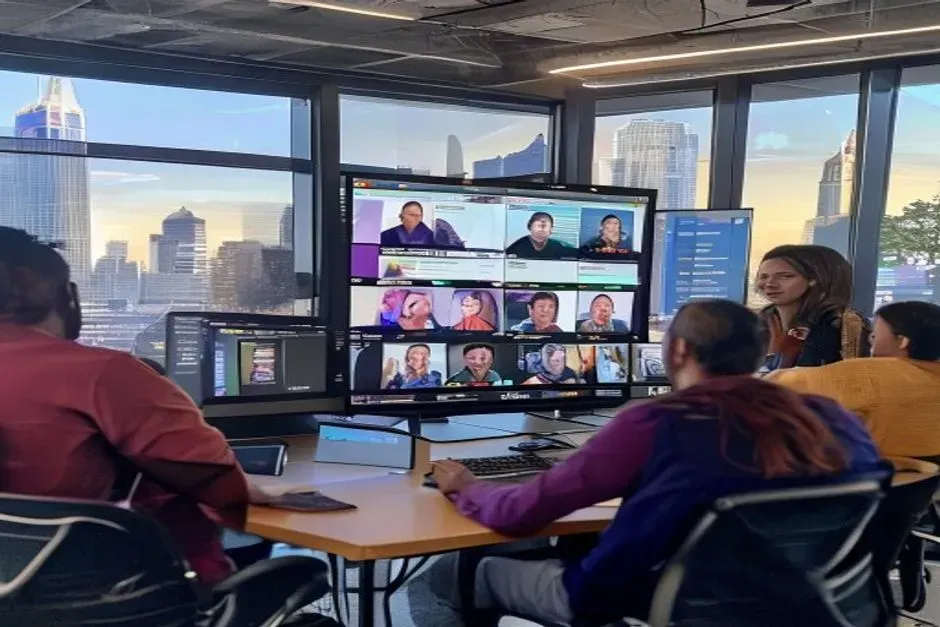
Microsoft 365 Benefits for San Antonio Nonprofits
Microsoft 365 Benefits for San Antonio Nonprofits: Comprehensive IT Solutions and Support
Nonprofits in San Antonio face unique challenges, from limited budgets to the need for effective collaboration and communication tools. Leveraging Nonprofit IT San Antonio expertise, Microsoft 365 offers a suite of solutions designed to enhance productivity, streamline operations, and foster collaboration among nonprofit organizations. This article explores the key benefits of Microsoft 365 for nonprofits, including cost savings, enhanced collaboration tools, and improved productivity features. Additionally, we will discuss the various licensing options available, how to access discounts, the role of cloud migration, cybersecurity best practices, and essential IT support services. By understanding these aspects, San Antonio nonprofits can leverage Microsoft 365 to maximize their impact and efficiency while benefiting from specialized Nonprofit IT San Antonio managed services.

What Are the Key Benefits of Microsoft 365 for San Antonio Nonprofits with Nonprofit IT San Antonio Support?
Microsoft 365 provides several key benefits tailored to the needs of nonprofits, enhancing their operational efficiency and collaboration capabilities. For comprehensive IT solutions, many organizations turn to "IT services" that specialize in nonprofit needs, including Nonprofit IT San Antonio experts who understand local challenges.
- Cost Savings: The subscription model of Microsoft 365 allows nonprofits to access premium tools at a fraction of the cost, enabling them to allocate resources more effectively. This is especially critical in San Antonio, where nonprofits often operate with tight budgets and need to maximize every dollar.
- Enhanced Collaboration Tools: With applications like Microsoft Teams, SharePoint, and OneDrive, teams can collaborate in real-time, share documents seamlessly, and manage projects more efficiently. These tools support remote and hybrid work environments, which have become increasingly important for nonprofits serving diverse communities.
- Improved Productivity Features: Microsoft 365 includes tools that automate routine tasks, streamline workflows, and provide analytics to help organizations make data-driven decisions. Features like Power Automate and Power BI empower nonprofits to optimize their operations and better measure program outcomes.

These benefits collectively empower nonprofits to operate more effectively, ensuring they can focus on their mission rather than administrative burdens. In the San Antonio market, where community impact is paramount, these tools help organizations scale their efforts efficiently with the support of Managed IT Services tailored for nonprofits and Nonprofit IT San Antonio professionals.
Further research highlights how the Microsoft 365 ecosystem is specifically designed to support collaborative work and enhance productivity for various organizations, including nonprofits.
Microsoft 365 Collaboration & Productivity for Nonprofits
This paper is devoted to the modeling a collaboration portal architecture and its implementation for the field of environmental initiatives. Given the modern trends in cloud services development, special attention is paid to the modeling capabilities of Microsoft 365 ecosystem. A conceptual, formalized and program models of the collaboration portal for effective support of coordinated work the participants of Erasmus + project from different regions and organizations is proposed. The key structural components of portal that provide flexibility, scalability and security in the process of information exchange and coordination within project are identified. The performance of the involved modeling techniques is demonstrated both on the realized examples of knowledge sharing, collective decision making, project management and on evaluating the portal effectiveness with using of internal resources of Microsoft 365. In addition, the paper identifies areas for further development of the portal's functionality, focusing on the integration with the model-driven applications that will contribute to the friendliness and sustainable cooperation.
Modeling of Collaboration Portals in Microsoft 365, O Drozd, 2025
| Benefit | Description | Impact Level |
|---|---|---|
| Cost Savings | Affordable subscription model for premium tools | High |
| Collaboration | Real-time collaboration through Teams and SharePoint | High |
| Productivity | Automation and analytics for better decision-making | Medium |
The integration of these features positions Microsoft 365 as a vital resource for nonprofits striving to enhance their operational capabilities. Leveraging expert Microsoft 365 migration and setup services ensures a smooth transition and maximizes the platform’s benefits. For specialized assistance, nonprofits can also explore Microsoft 365 migration services in San Antonio to facilitate a seamless adoption process with trusted Nonprofit IT San Antonio providers.
Enhance Your Nonprofit’s IT with Expert Support from Nonprofit IT San Antonio Specialists
Partner with Evolution Technologies, a G2 Verified leader in nonprofit IT solutions in San Antonio. Discover how our Managed IT Services can streamline your Microsoft 365 experience and boost your organization’s impact.
Which Microsoft 365 Licensing Options and Discounts Are Available for Nonprofits with Nonprofit IT San Antonio Guidance?
Nonprofits can take advantage of various Microsoft 365 licensing options specifically designed to meet their needs, often supported by Nonprofit IT San Antonio experts to select the best plan.
- Microsoft 365 Business Premium: This plan includes all the essential tools for collaboration and productivity, ideal for small to medium-sized nonprofits.
- Microsoft 365 E3: Offers advanced security and compliance features, suitable for larger organizations with more complex needs.
- Microsoft 365 E5: This plan includes all E3 features plus advanced analytics and security capabilities, perfect for nonprofits requiring robust data protection.
Additionally, Microsoft provides significant discounts for eligible nonprofits, making these plans even more accessible. For detailed eligibility and application guidance, visit the Microsoft for Nonprofits portal.
Eligibility Criteria for Discounts
To qualify for Microsoft 365 nonprofit discounts, organizations must meet specific criteria, including:
- Being a registered nonprofit organization
- Having a valid 501(c)(3) status
- Meeting Microsoft's eligibility requirements for nonprofit programs
These criteria ensure that the benefits of Microsoft 365 are directed towards organizations that genuinely need support. For tax-related nonprofit information, the IRS nonprofit resources provide comprehensive guidance.
How Can San Antonio Nonprofits Access Microsoft 365 Licensing Discounts with Nonprofit IT San Antonio Assistance?
Accessing Microsoft 365 licensing discounts is a straightforward process for San Antonio nonprofits, especially when guided by Nonprofit IT San Antonio professionals.
- Visit the Microsoft Nonprofit Portal: Organizations can start by visiting the Microsoft Nonprofit Portal to explore available plans and discounts.
- Verify Eligibility: Nonprofits must verify their eligibility by providing necessary documentation, such as proof of nonprofit status.
- Apply for Discounts: Once eligibility is confirmed, organizations can apply for the desired Microsoft 365 plan and receive the applicable discounts.
By following these steps, nonprofits can easily access the tools they need to enhance their operations while saving on costs.

How Does Cloud Migration Support Microsoft 365 Adoption for Nonprofits in San Antonio?
Cloud migration plays a crucial role in the successful adoption of Microsoft 365 for nonprofits. Many organizations benefit from "cloud migration services" tailored to their unique needs, often provided by trusted Nonprofit IT San Antonio partners.
- Benefits of Cloud Migration: Transitioning to the cloud allows nonprofits to access their data and applications from anywhere, facilitating remote work and collaboration. This flexibility is vital for San Antonio nonprofits serving diverse and widespread communities.
- Implementation Strategies: Nonprofits should develop a clear migration plan that includes data backup, user training, and phased implementation to minimize disruptions. Partnering with experienced providers ensures a seamless transition.
- Ongoing Support Considerations: After migration, organizations should ensure they have access to ongoing IT support to address any technical issues that may arise. This support is critical to maintaining operational continuity and security.
Cloud migration not only enhances accessibility but also improves data security and compliance, making it an essential step for nonprofits adopting Microsoft 365. For expert guidance, consider Evolution Technologies, a G2 Verified provider specializing in nonprofit cloud solutions and Managed IT Services.
What Cybersecurity Best Practices Protect Microsoft 365 Users in San Antonio Nonprofits?
Cybersecurity is a critical concern for nonprofits using Microsoft 365. Implementing best practices can significantly enhance data protection. Engaging with specialized cybersecurity providers can help ensure robust protection, often integrated within comprehensive Managed IT Services and Nonprofit IT San Antonio offerings.
- Multi-Factor Authentication (MFA): Enabling MFA adds an extra layer of security, requiring users to verify their identity through multiple methods.
- Regular Staff Training: Conducting regular training sessions helps staff recognize phishing attempts and other cyber threats. Resources from CISA.gov offer valuable guidance on cybersecurity awareness.
- Data Backup Strategies: Regularly backing up data ensures that organizations can recover quickly in case of a cyber incident.
By adopting these best practices, San Antonio nonprofits can protect their sensitive information and maintain the trust of their stakeholders. Following standards from NIST.gov can further strengthen cybersecurity frameworks.
What IT Helpdesk and Support Services Are Essential for Microsoft 365 Users in Nonprofits?
Effective IT support is vital for nonprofits utilizing Microsoft 365. Essential services include:
- Service Desk Support: Providing a dedicated helpdesk for users to report issues and receive timely assistance.
- Proactive Monitoring: Regularly monitoring systems to identify and resolve potential issues before they impact operations.
- Cybersecurity Services: Implementing security measures and monitoring to protect against cyber threats.
These IT support services ensure that nonprofits can maximize their use of Microsoft 365 while minimizing downtime and technical challenges. For expert assistance, Nonprofit IT San Antonio managed services from Evolution Technologies are highly recommended.
Maximize Your Microsoft 365 Investment with Expert IT Support
Ready to transform your nonprofit with Microsoft 365? Contact Evolution Technologies at (210) 417-4028 or schedule an appointment to get started.
