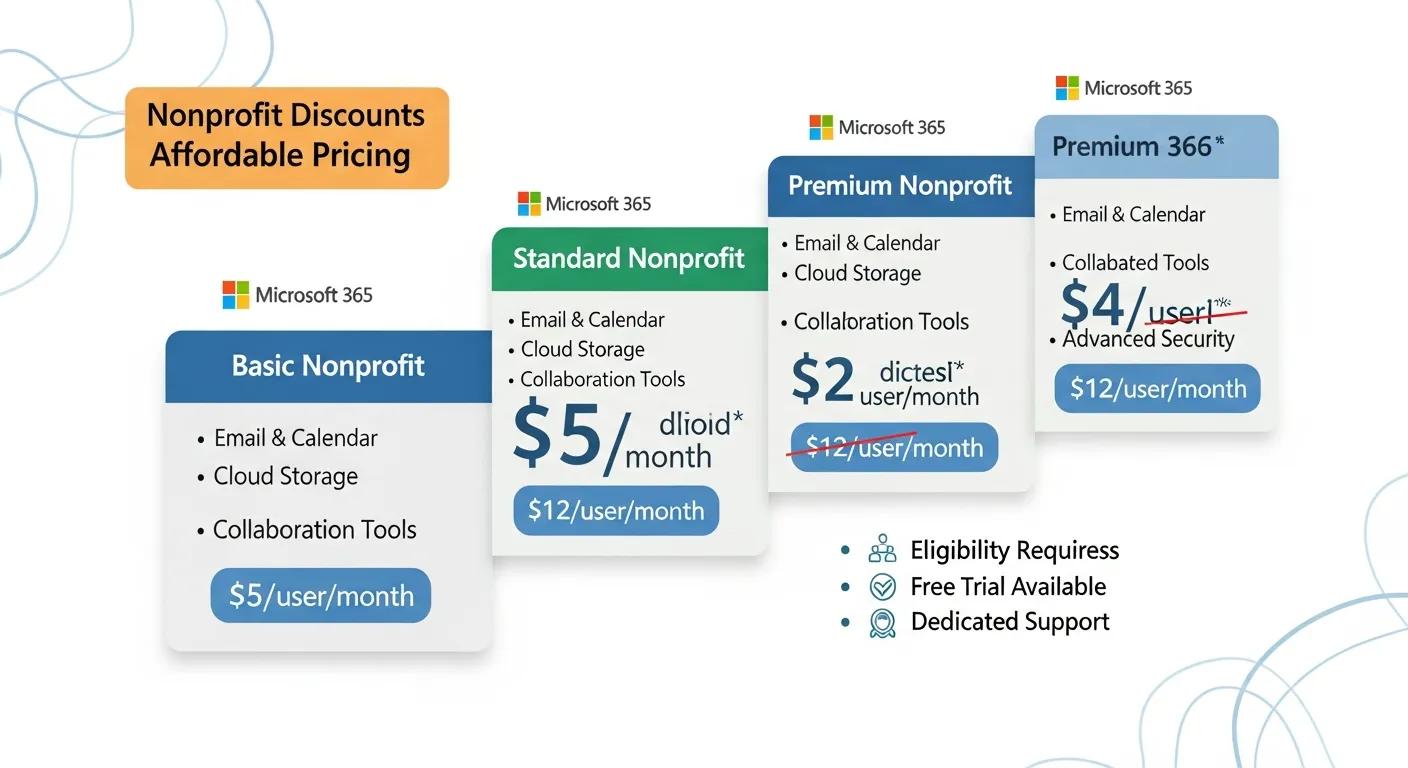
Affordable Microsoft 365 Solutions for Nonprofits in San Antonio
Affordable Microsoft 365 Solutions for Nonprofit IT San Antonio: Comprehensive IT Support and Cloud Migration
Nonprofit organizations in San Antonio face unique challenges when it comes to technology adoption and management. For Nonprofit IT San Antonio, with limited budgets and resources, finding affordable solutions that enhance productivity and collaboration is crucial. Microsoft 365 offers a suite of tools designed specifically for nonprofits, providing cost-effective options that streamline operations and improve communication. This article explores the various IT support options, cloud migration services, and cost-effective strategies available to nonprofits in San Antonio. Additionally, we will delve into the benefits of Microsoft 365, including enhanced collaboration, security features, and how Evolution Technologies can assist in implementing these affordable Microsoft 365 solutions effectively for Nonprofit IT San Antonio.

The strategic adoption of Microsoft 365 can lead to significant enhancements in digital infrastructure and substantial cost efficiencies, as demonstrated by various recent case studies.
Microsoft 365 Adoption for Digital Infrastructure & Cost Efficiency
This study presents the strategic initiative of Texas A&M University (TAMU) to adopt Microsoft 365, aiming to enhance its digital infrastructure in response to the evolving demands of higher education and crisis management. The university, supporting 30,000 employees, has historically relied on an on-premise framework, utilizing Microsoft Exchange 2016 and Lync Server 2013. This approach, although traditional, resulted in substantial financial outlays exceeding $800,000.An Analysis of the Microsoft 365 Cloud Migration Process, its Alternatives, and Results, 2025
Nonprofit IT San Antonio Support Options
Nonprofits require reliable IT support to ensure their operations run smoothly. Various IT support options are available to meet these needs, including:
- Managed IT Services: These services provide comprehensive support, including system monitoring, maintenance, and troubleshooting, allowing nonprofits to focus on their mission rather than IT issues. Learn more about tailored nonprofit IT San Antonio managed services.
- Cybersecurity Services: Protecting sensitive data is essential for nonprofits. Cybersecurity services help safeguard against threats and ensure compliance with regulations.
- Responsive Support: Quick response times for IT issues are critical. Support services can offer helpdesk assistance to resolve problems efficiently.
These IT support options are vital for nonprofits to maintain operational efficiency and security in the Nonprofit IT San Antonio community.
Ready to Upgrade Your Nonprofit’s IT Infrastructure?
Partner with Evolution Technologies for expert Microsoft 365 migration and setup services tailored to nonprofits. Ensure a smooth transition with minimal disruption. Learn more about our specialized Microsoft 365 migration services in San Antonio designed to meet nonprofit needs.
Cloud Solutions and Migration Services for Nonprofit IT San Antonio
Migrating to the cloud can significantly enhance a nonprofit's operational capabilities. Key cloud migration services include:
- Microsoft 365 Migration: This service facilitates the transition to Microsoft 365, ensuring that all data is transferred securely and efficiently.
- Ongoing Support Post-Migration: After migration, ongoing support is crucial to address any issues that may arise and to optimize the use of Microsoft 365 tools.
- Data Backup and Disaster Recovery: Ensuring that data is backed up and can be recovered in case of an emergency is essential for maintaining continuity.
These cloud solutions help nonprofits leverage cloud technology effectively, enhancing their overall productivity in the Nonprofit IT San Antonio sector.
A deeper dive into the cloud migration process reveals how organizations can achieve real-world savings and optimize their operations.
Microsoft 365 Cloud Migration & Real-World Savings
This study follows the decision-making process of comparing a traditional business software stack to cloud alternatives, comparing different cloud platforms, and planning a migration. It addresses specific workloads of an example company in the financial services industry and how the tools in a Microsoft 365 subscription support that work. The process of transferring an existing Exchange server and its users to Azure is thoroughly detailed, as is the logic behind certain crucial decisions that are part of that procedure. A calculation of real-world savings is also provided. The resulting paper is usable as both a reference and guide for making responsible plans on the subject of cloud migration.An Analysis of the Microsoft 365 Cloud Migration Process, its Alternatives, and Results, 2025
Cost-Effective Strategies for Nonprofit IT San Antonio
Nonprofits often operate on tight budgets, making cost-effective IT strategies essential. Here are some strategies to manage IT costs effectively:

- Tailored Solutions: Customizing IT solutions to fit the specific needs of a nonprofit can prevent overspending on unnecessary features.
- Scalable Infrastructure: Implementing scalable solutions allows nonprofits to adjust their IT resources as needed without incurring excessive costs.
- Training and Adoption Support: Providing training for staff on new technologies ensures that they can utilize tools effectively, maximizing the return on investment.
By adopting these strategies, nonprofits can manage their IT expenses while still benefiting from advanced technology such as affordable Microsoft 365 and cloud solutions, which are critical for Nonprofit IT San Antonio organizations.
What Are the Benefits of Microsoft 365 for Nonprofit IT San Antonio?
Microsoft 365 offers numerous benefits tailored to the needs of nonprofits, including:
- Cost Savings: Nonprofits can access Microsoft 365 at a discounted rate, making it an affordable option for essential tools. Visit Microsoft for Nonprofits for more details.
- Enhanced Collaboration: Tools like Microsoft Teams and SharePoint facilitate seamless communication and collaboration among team members.
- Improved Productivity Features: Features such as OneDrive for file storage and sharing enhance productivity by allowing easy access to documents from anywhere.
- Post-Migration Support and Training: Ongoing support ensures that nonprofits can maximize their use of Microsoft 365 tools.
- Security and Compliance: Microsoft 365 includes robust security features to protect sensitive nonprofit data and ensure compliance with regulations.
These benefits make Microsoft 365 an ideal solution for nonprofits looking to enhance their operations with affordable Microsoft 365 and cloud solutions.
Many nonprofits have already experienced significant advantages by migrating to cloud platforms like Microsoft Azure, further underscoring these benefits.
Nonprofits Migrating to Microsoft Azure Cloud
The 48 nonprofits using Microsoft Azure cited numerous benefits that resulted from migrating to cloud management platforms.
The impact of cloud management platforms on nonprofit business models, NIST, 2026
How Does Microsoft 365 Enhance Collaboration and Productivity for Nonprofit IT San Antonio?
Microsoft 365 enhances collaboration and productivity through its integrated tools. For instance, Microsoft Teams allows for real-time communication and collaboration, enabling teams to work together effectively, regardless of location. Additionally, SharePoint provides a centralized platform for document management, making it easier for teams to access and share information. These tools streamline workflows and improve overall efficiency, allowing nonprofits to focus on their mission.
What Security Features Protect Nonprofit Data in Microsoft 365?
Microsoft 365 offers several security features designed to protect nonprofit data, including:
- Multi-Factor Authentication: This feature adds an extra layer of security by requiring users to verify their identity through multiple methods.
- Data Loss Prevention: This helps prevent sensitive information from being shared outside the organization.
- Encryption: Data is encrypted both in transit and at rest, ensuring that it remains secure from unauthorized access.
These security measures are crucial for nonprofits to protect their sensitive information and maintain trust with their stakeholders. For more information on cybersecurity best practices, visit CISA.gov.
How Does Evolution Technologies Provide Affordable Microsoft 365 Solutions for Nonprofit IT San Antonio?
Evolution Technologies specializes in providing affordable Microsoft 365 solutions tailored for nonprofits. Their services include:
- Microsoft 365 Migration Services: They assist nonprofits in transitioning to Microsoft 365, ensuring a smooth and secure migration process. Learn more at office365-migration.ev0-tech.com.
- Pricing Models: Evolution Technologies offers flexible pricing models to accommodate the budget constraints of nonprofits.
- Support Options: Ongoing support is available to help nonprofits maximize their use of Microsoft 365 tools.
Evolution Technologies is G2 Verified, reflecting their commitment to quality and customer satisfaction in nonprofit IT San Antonio solutions.
What Managed IT Support Services Are Included for Nonprofit IT San Antonio?
Managed IT support services for nonprofits typically include:
- Proactive Monitoring and Maintenance: Regular monitoring of IT systems to identify and resolve issues before they impact operations.
- Security Measures: Implementation of security protocols to protect against cyber threats.
- Backup and Disaster Recovery: Ensuring that data is backed up and can be restored in case of an emergency.
These services provide nonprofits with peace of mind, knowing that their IT infrastructure is well-managed and secure.
What Are the Steps for Microsoft 365 Migration Services for Nonprofit IT San Antonio?
The steps involved in migrating to Microsoft 365 include:
- Pre-Migration Assessment: Evaluating the current IT environment to identify needs and challenges.
- Planning the Migration Strategy: Developing a detailed plan for the migration process, including timelines and resource allocation.
- Executing the Migration: Carrying out the migration process while ensuring minimal disruption to operations.
These steps are essential for a successful transition to Microsoft 365.
How Is Data Migration to Microsoft 365 Secured and Managed?
Data migration to Microsoft 365 is secured and managed through several key practices:
- Pre-Migration Assessment: Identifying potential risks and challenges before migration begins.
- Cybersecurity and Compliance Configuration: Ensuring that all data is handled in compliance with relevant regulations.
- Post-Migration Support: Providing ongoing support to address any issues that may arise after migration.
These practices help ensure that the migration process is secure and efficient.
What Is the Timeline and Process for Cloud Migration in Nonprofit IT San Antonio?
The timeline for cloud migration typically involves:
- Pre-Migration Assessment: This initial phase can take 1-2 weeks, depending on the complexity of the IT environment.
- Planning the Migration Strategy: This phase usually takes 1-2 weeks to develop a comprehensive plan.
- Executing the Migration: The actual migration process can take anywhere from a few days to several weeks, depending on the amount of data being transferred.
Understanding this timeline helps nonprofits plan their migration effectively.
How Does IT Consulting Support Nonprofit IT San Antonio’s Microsoft 365 Adoption?
IT consulting plays a crucial role in supporting nonprofits' adoption of Microsoft 365 by:
- Microsoft 365 Environment Setup: Ensuring that the Microsoft 365 environment is configured to meet the specific needs of the nonprofit.
- Ongoing Support and Training: Providing training for staff to ensure they can effectively use the tools available.
- Security Hardening: Implementing additional security measures to protect nonprofit data.
These consulting services help nonprofits maximize their investment in Microsoft 365.
What Customized IT Strategies Are Recommended for Nonprofit IT San Antonio?
Customized IT strategies for nonprofits should focus on:
- Understanding Nonprofit Needs: Assessing the specific requirements and challenges faced by the organization.
- Customized Setup and Configuration: Tailoring IT solutions to fit the unique needs of the nonprofit.
- Ongoing Support and Improvement: Providing continuous support to adapt to changing needs and technologies.
These strategies ensure that nonprofits can effectively leverage technology to achieve their goals.
How Does Consulting Address Compliance and Cybersecurity Needs for Nonprofit IT San Antonio?
Consulting services address compliance and cybersecurity needs by:
- Security Configuration: Implementing security measures to protect sensitive data.
- Compliance Alignment: Ensuring that the nonprofit meets all relevant regulatory requirements.
- Risk Assessments: Conducting assessments to identify potential vulnerabilities and develop strategies to mitigate them.
These consulting services are essential for nonprofits to maintain compliance and protect their data.
What Local IT Support Services Enhance Microsoft 365 Use for Nonprofit IT San Antonio?
Local IT support services that enhance Microsoft 365 use for nonprofits include:
- Managed IT Support: Providing ongoing support to ensure that IT systems are functioning optimally.
- Cloud Migration Services: Assisting with the transition to cloud-based solutions.
- User Training and Adoption: Offering training programs to help staff effectively use Microsoft 365 tools.
These local services provide nonprofits with the support they need to maximize their technology investments.
How Does Helpdesk Support Resolve Microsoft 365 Issues Efficiently for Nonprofit IT San Antonio?
Helpdesk support for Microsoft 365 issues resolves problems efficiently by:
- Quick Issue Resolution: Providing timely assistance to address technical issues as they arise.
- Common Problems Encountered: Identifying and addressing frequently encountered issues to minimize downtime.
- Enhanced Security and Compliance: Ensuring that all support activities adhere to security and compliance standards.
This support is crucial for maintaining productivity within nonprofit organizations.
What Ongoing Training and Resources Are Available for Nonprofit IT San Antonio Staff?
Ongoing training and resources for nonprofit staff include:
- Custom Training Programs: Tailored training sessions to meet the specific needs of the organization.
- Ongoing Support: Continuous access to support resources to assist staff as they adapt to new technologies.
- Hands-On Training: Practical training sessions that allow staff to gain experience with Microsoft 365 tools.
These resources help ensure that nonprofit staff are well-equipped to utilize technology effectively.
What Are Common Questions About Microsoft 365 Nonprofit Pricing and Services?
Common questions regarding Microsoft 365 nonprofit pricing and services include:
- Cost for Nonprofits: What discounts are available for nonprofit organizations?
- Discounts and Grants Available: Are there any grants or additional funding options to assist with technology costs? Visit IRS.gov for nonprofit tax and grant information.

Get Expert Nonprofit IT San Antonio Support
Ready to transform your nonprofit with Microsoft 365? Contact Evolution Technologies at (210) 417-4028 or schedule an appointment to get started. Evolution Technologies is G2 Verified, a trusted leader in nonprofit IT San Antonio solutions, offering affordable Microsoft 365 migration, managed IT services, and ongoing support tailored to your nonprofit’s needs.
